Private expense tracker for iPhone
Your expense buddy, one tap away.
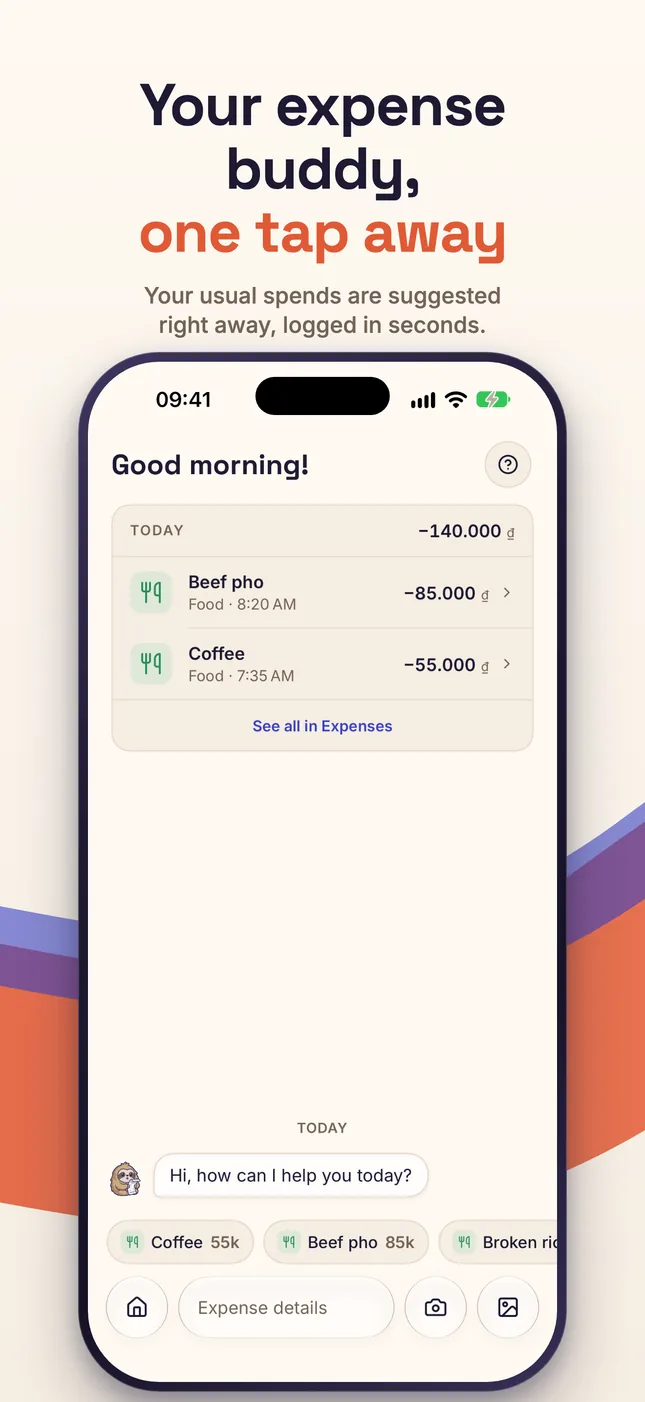
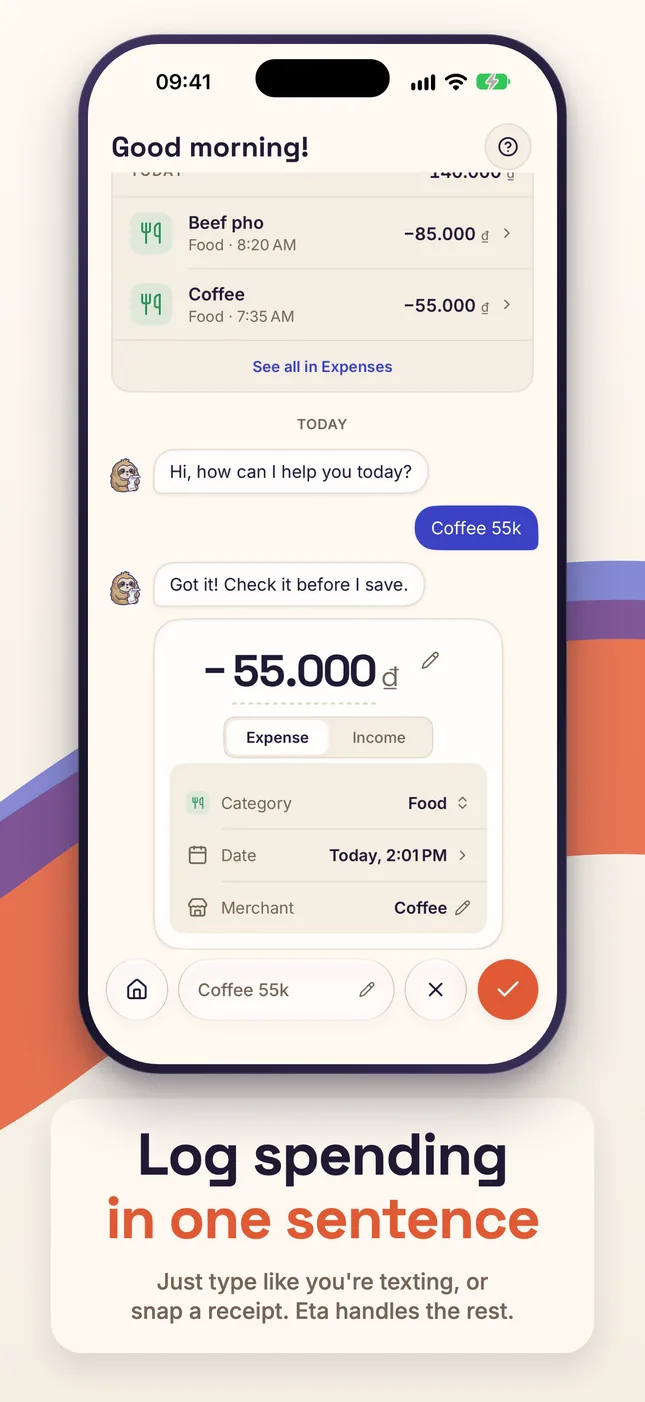
Eta suggests your usual spends and logs them in one tap. Or just type “Coffee 55k” or snap a receipt. Private, on-device, no account.
Free 7-day trial · $2.99 one-time unlock · Requires iOS 26

A closer look
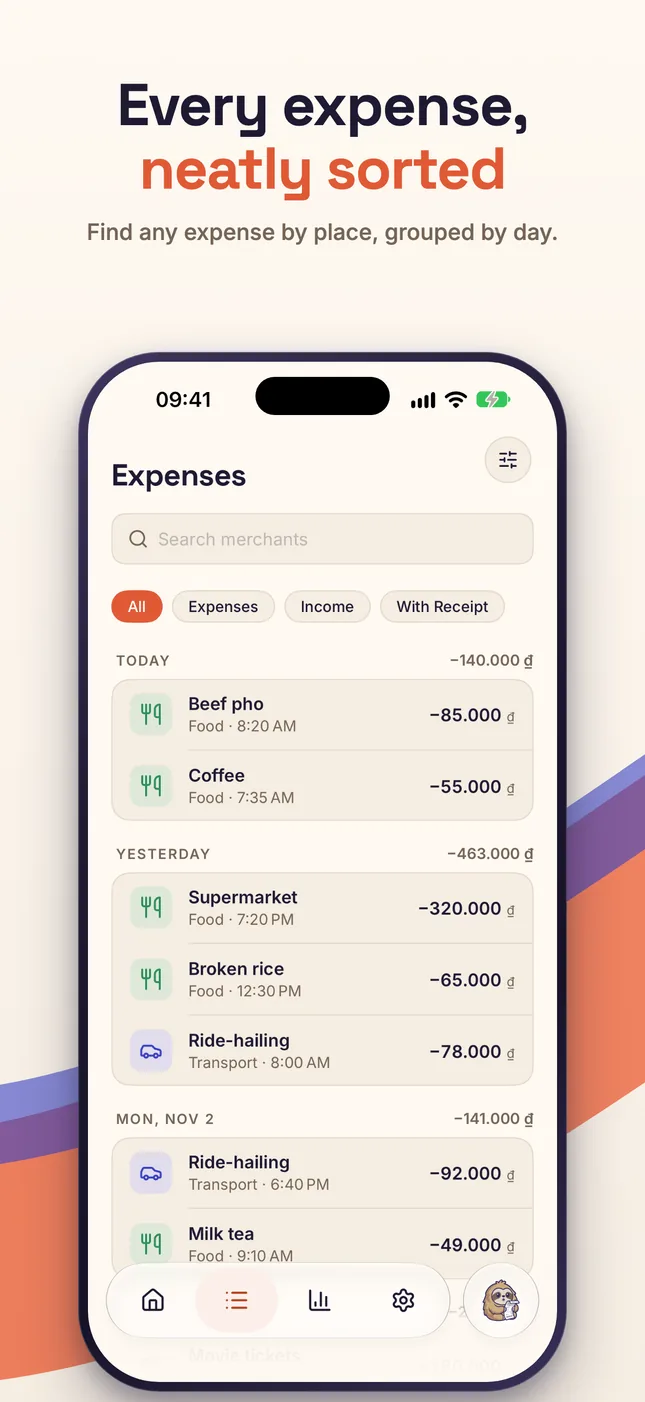
Everything you need, nothing you don't
Meet your sloth buddy
Eta suggests your usual spends, ready to log in one tap.
Log in one sentence
Type “Coffee 55k”; Eta picks out the amount, the item and the category.
Receipt scanning
Scan with the camera or pick a photo; text is recognized on-device.
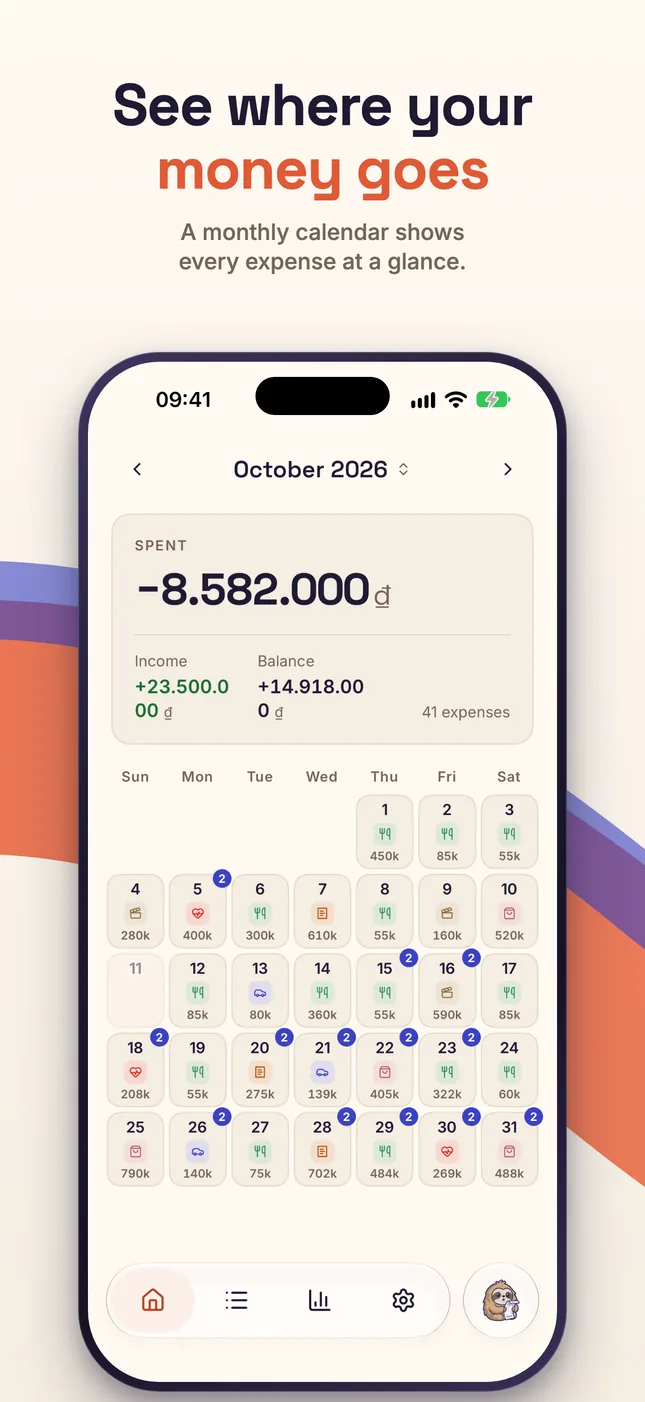
Calendar home
See every day of the month at a glance, expenses grouped by day.
Statistics & trends
Income, spending and balance together, plus top merchants.
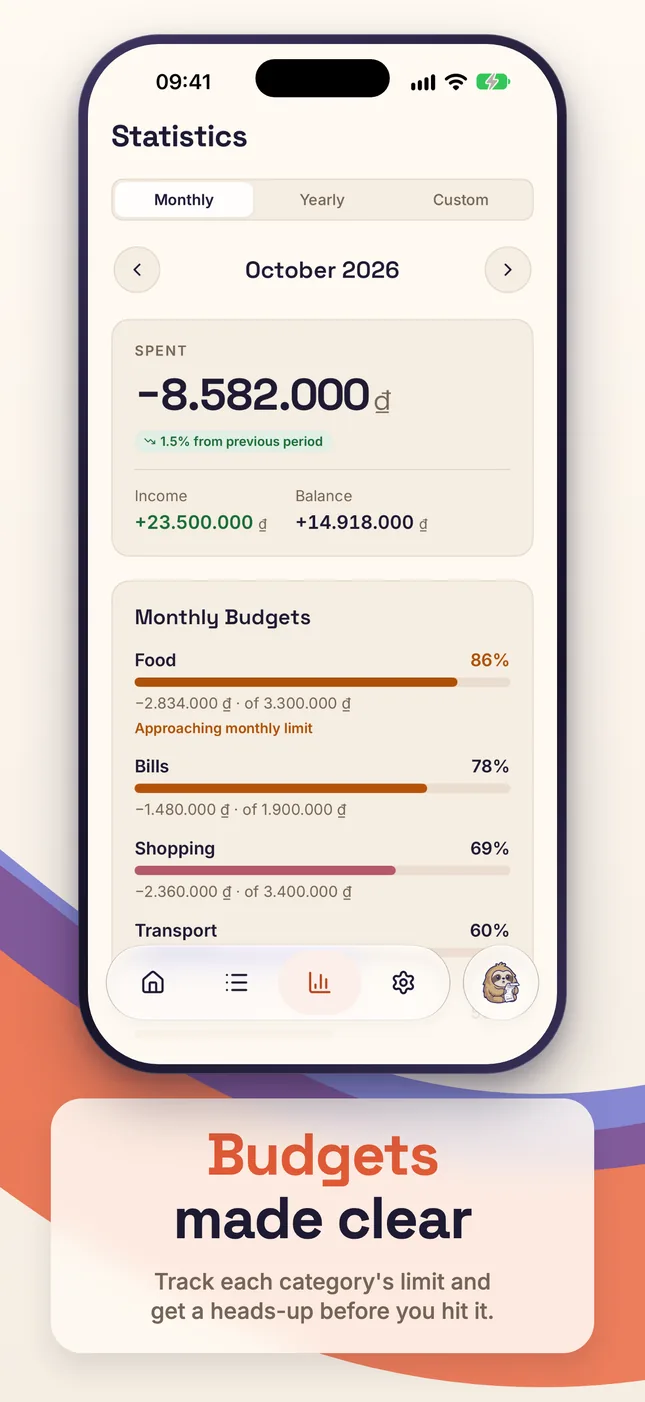
Budgets
Monthly limits per category, with a heads-up before you hit them.
Automations
Log from Siri Shortcuts, bank notifications or Tap to Pay automatically.
Recurring, export & backup
Track subscriptions and bills, export CSV, back up to JSON.
Available in English and Vietnamese.
Your money data stays yours.
- No account required.
- Data Not Collected — per the App Store privacy label.
- Syncs only through your private iCloud.
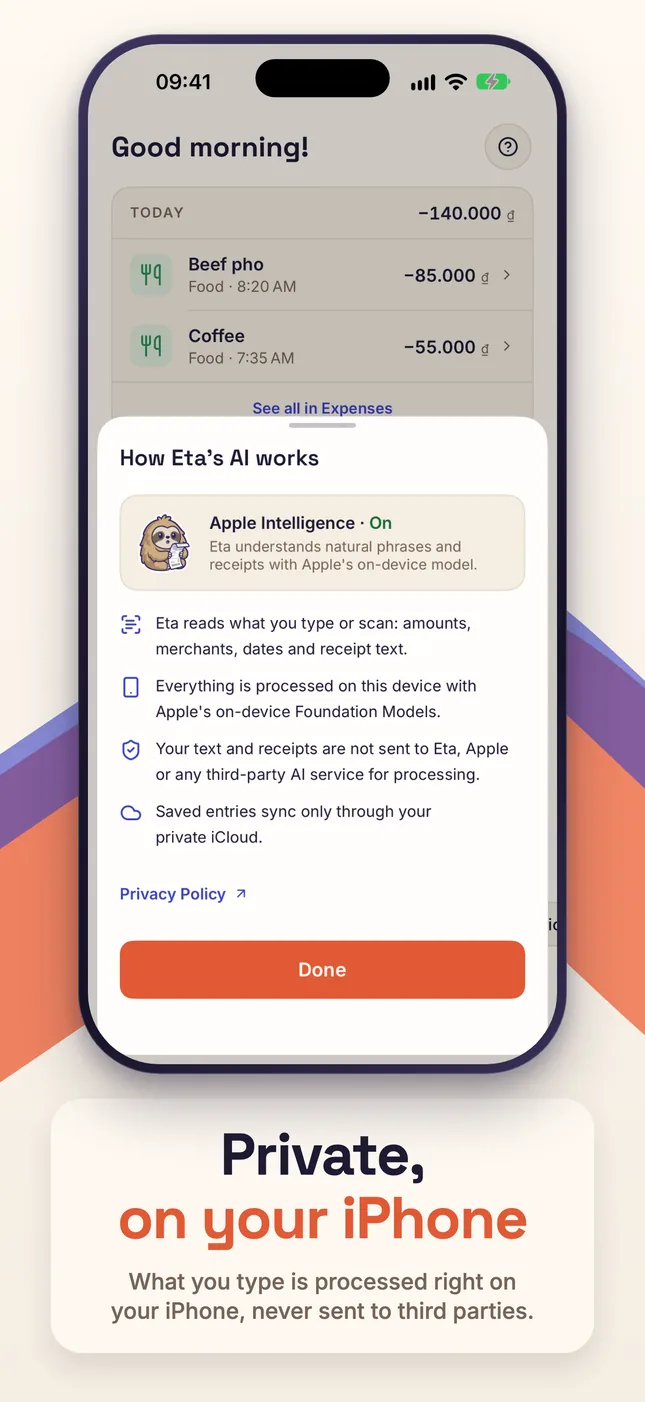
- Optional on-device Apple Intelligence, off by default. No third-party AI, ever.
Simple pricing
Try free for 7 days
$2.99
one-time · unlock forever
No subscription. Family Sharing supported.
FAQ
Do I need an account?
No. Eta works without sign-up; your data lives on your device.
Which devices are supported?
iPhone with iOS 26 or later. Eta also runs on Apple silicon Macs (macOS 26) and Apple Vision Pro (visionOS 26).
Does Eta send my data to AI services?
No. AI parsing is optional, uses Apple Intelligence entirely on-device, and is off by default. Without it, Eta uses local rule-based parsing.
How do I sync or back up?
Turn on iCloud to sync across your Apple devices, or export a JSON backup / CSV anytime.
What languages does Eta support?
English and Vietnamese.